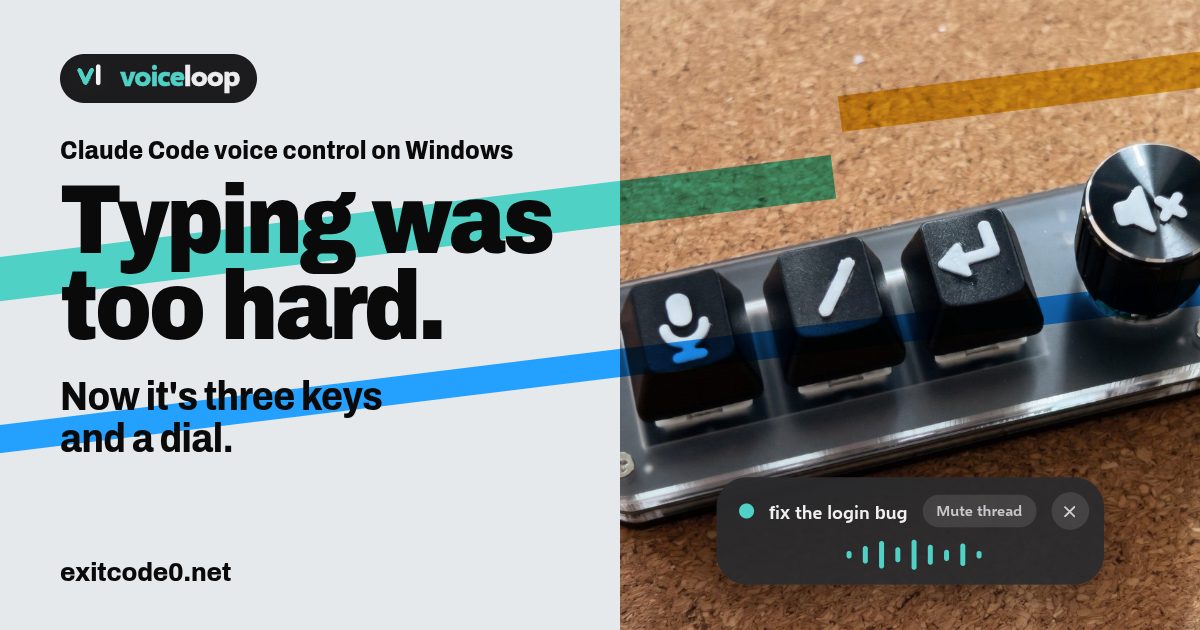
Social card reading 'Typing was too hard. Now it's three keys and a dial.' beside a photo of a 3-key macropad with a knob, its keys printed with microphone, slash and Enter symbols, and an on-screen pill showing voiceloop talking

Claude Code Voice Control on Windows: Dictate Prompts and Hear Replies Aloud

I run Claude Code on a dev VM and drive it from T3 Code on whatever I’m sat at. The dumb terminal post covers that setup. It works well until you have a few threads going, look away, and miss the one that’s been sitting on a question. So I wanted voice control in both directions: say the prompt, hear the reply. The catch is that Claude Code runs on a headless server, and the microphone and speakers are on my Windows PC. Claude Code’s own /voice needs a local microphone and only covers the talking-to-it half. I built the other half. voiceloop is a free, open-source Windows app that reads Claude Code’s replies aloud on your PC, wherever Claude Code is running. It lives at voiceloop.dev, with the code on GitHub. ...
November 10, 2026 · 13 min · Tom Cocking
Diagram of a Proxmox host with a GPU-backed Ollama container, Open WebUI, a dev VM and Home Assistant

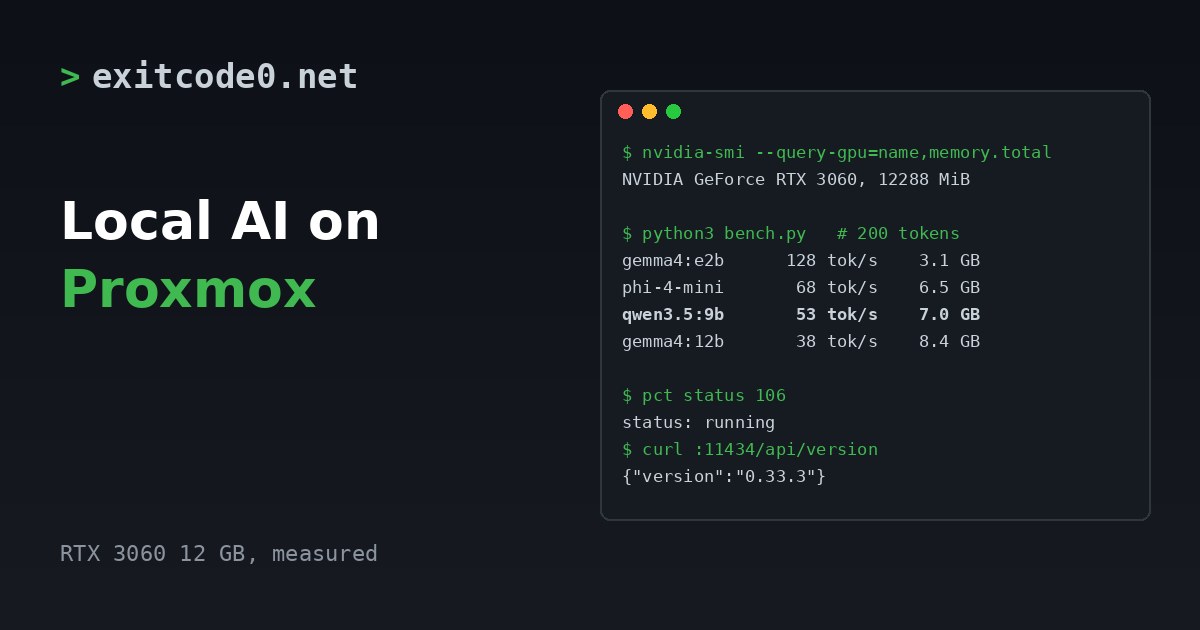
Local AI on Proxmox: The Complete Homelab Guide (2026)

Everything AI-related on this site runs on one Proxmox host in a cupboard. A GPU in an LXC container serves Ollama, a web front end sits on a VM next to it, Home Assistant talks to local speech models for voice, and my coding agents work from an always-on VM that I reach over Tailscale. None of it costs per token, none of it leaves the house, and the whole stack has survived every host reboot since I built it. ...

November 10, 2026 · 11 min · Tom Cocking
Terminal panel showing the environment variables for pointing Claude Code at Ollama and a results table for three local models on two coding tasks

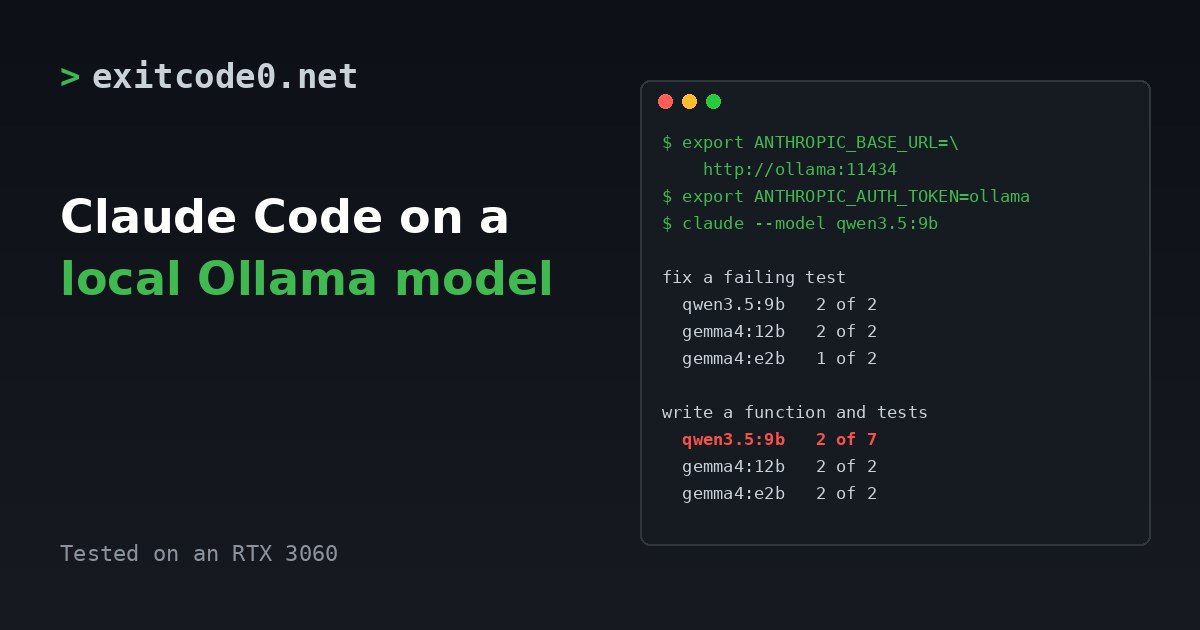
Claude Code with a Local Ollama Model: Setup, and What a 12 GB GPU Can Do

Claude Code speaks the Anthropic API. Ollama now speaks it too. Point one at the other with three environment variables and Claude Code runs against a model on your own GPU. No API key, no per-token bill, and the prompts stay on your network. Whether it’s any good is a different question. I ran it against three models on an RTX 3060 with two small coding tasks each. One model did well at both. One was the best at one and the worst at the other. Treat what follows as a smoke test, not a benchmark, but the differences were big enough to matter. ...

November 6, 2026 · 8 min · Tom Cocking
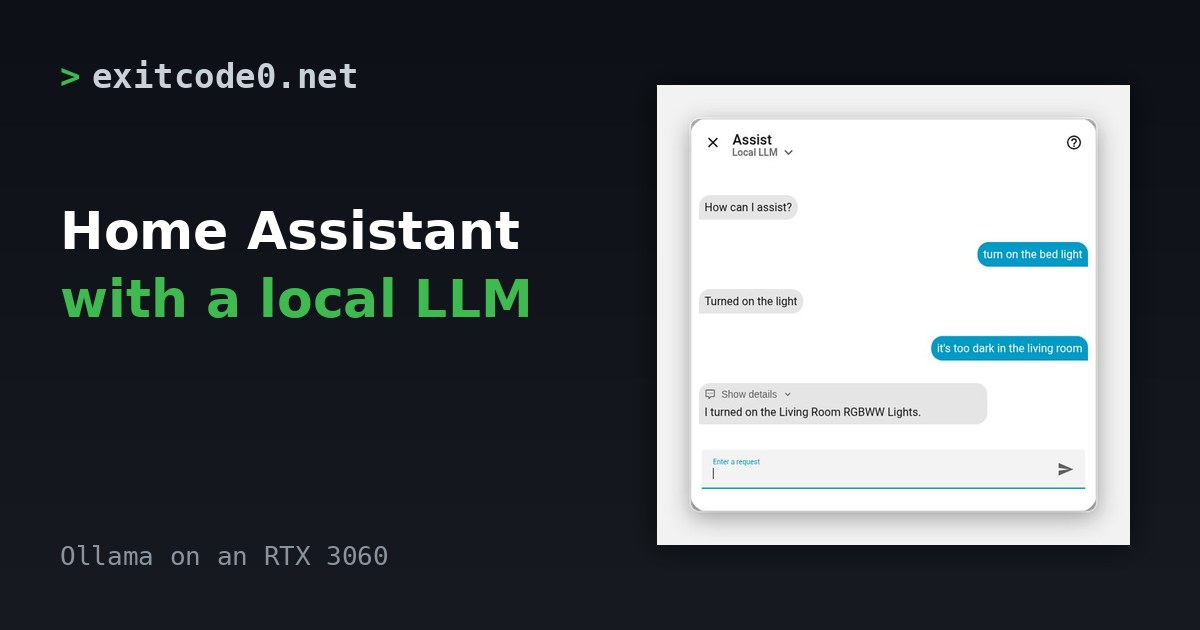
Home Assistant Assist dialog on the Local LLM assistant: the user says it's too dark in the living room and the reply says it turned on the Living Room RGBWW Lights

Home Assistant Conversation Agent with a Local Ollama Model: Which Model Works

Home Assistant’s own Assist can already turn a light on. It matches your sentence against a list of templates and runs the one that fits. Say something it has no template for and you get “Sorry, I couldn’t understand that”. Point Assist at an LLM and that stops being true. “It’s too dark in the living room” works. The catch is that the model has to call Home Assistant’s tools correctly, and plenty of local models can’t. I ran three models against the same 18 commands to see which ones can. ...

November 3, 2026 · 9 min · Tom Cocking
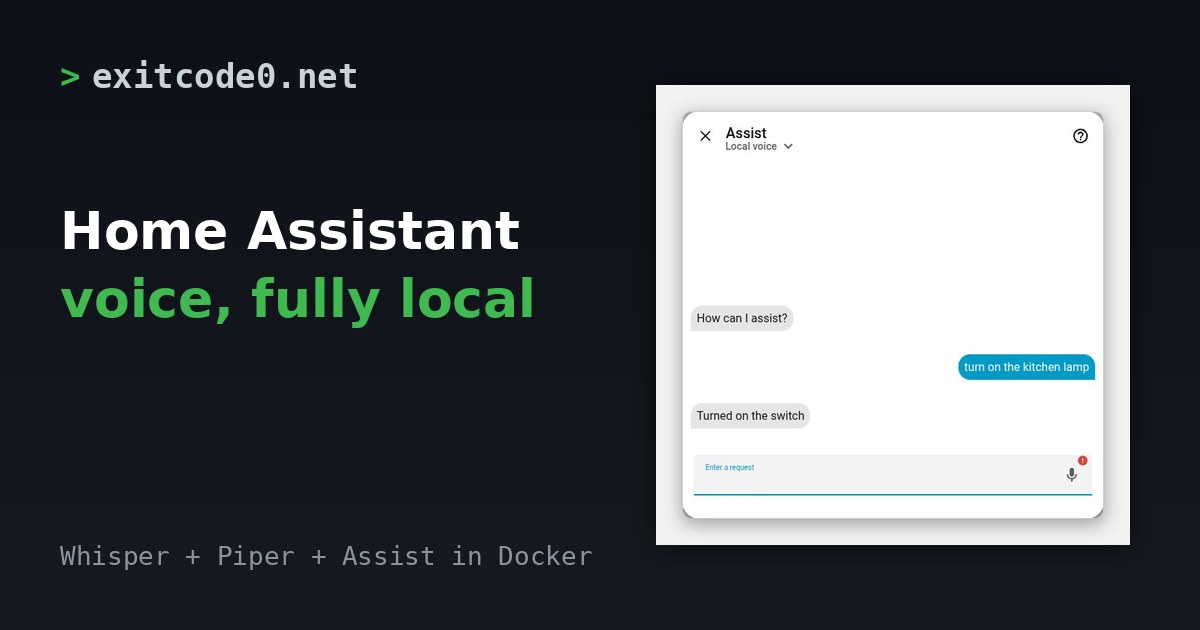
Home Assistant Assist dialog showing the command 'turn on the kitchen lamp' and the reply 'Turned on the switch', next to the title Home Assistant voice, fully local

Home Assistant Local Voice Assistant with Whisper and Piper in Docker

A Home Assistant voice assistant needs three parts. Something to turn speech into text, something to turn a reply back into speech, and Assist in the middle to work out what you meant. The first two can run on plain CPU in Docker, so nothing you say has to leave the house. I built the whole stack from scratch on 11 October 2026 on Home Assistant 2026.10.1, ran text and spoken commands through it, and timed the result. This post has the compose file, the settings, the numbers and the two things that tripped me up. ...

October 20, 2026 · 6 min · Tom Cocking
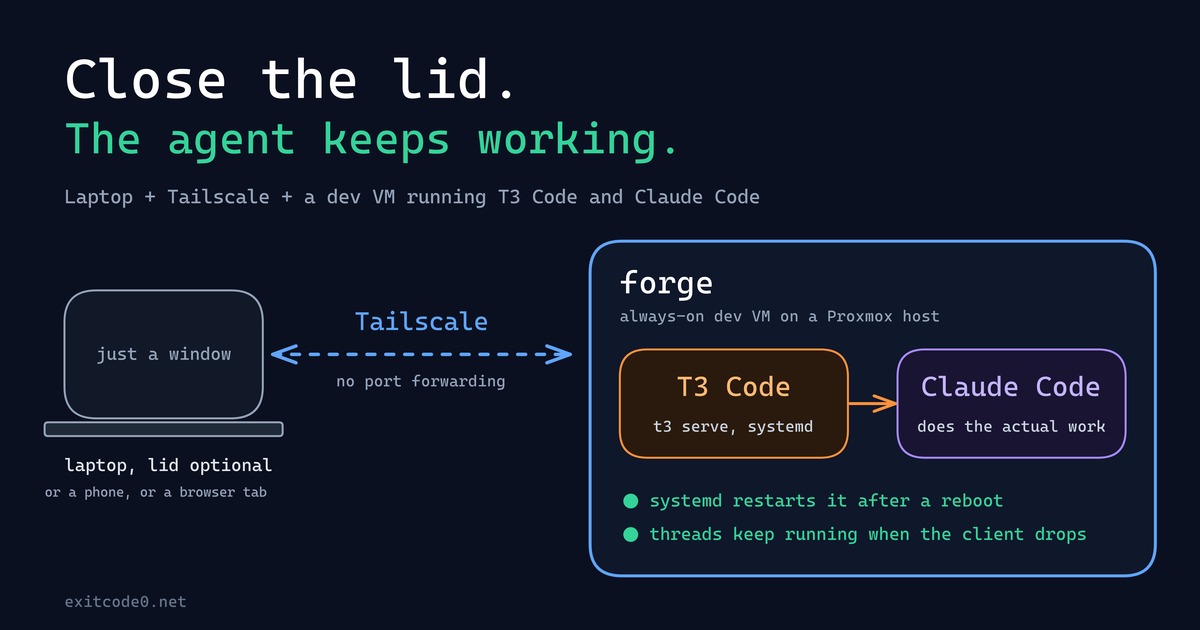
Diagram showing a laptop connecting over Tailscale to a persistent dev VM running T3 Code and Claude Code

How I Turned My Laptop Into a Dumb Terminal With a Tailscale Dev VM, T3 Code, and Claude Code

For about as long as I’ve been doing this, my laptop has been the computer: the IDE, the Docker daemon, forty browser tabs, all of it running locally, all of it dying the second the battery does or the lid has to close for a meeting. That model finally broke this year - not because of some clever trick, but because I moved the actual computer off the laptop entirely. The laptop’s job now is to open a window onto a machine that never sleeps, never loses its state, and honestly doesn’t care what OS it’s running. ...

September 24, 2026 · 9 min · Tom Cocking

Running Ollama in a Proxmox LXC with NVIDIA GPU Passthrough

Running large language models locally is genuinely useful — no API costs, no rate limits, and your data stays on your own hardware. The catch is getting GPU acceleration working inside a Proxmox LXC container, which involves a few non-obvious steps around driver installation and cgroup device passthrough. Why LXC and not a VM? VM GPU passthrough wasn’t an option here — no iGPU meant the host would have had no display output once the card was handed off. LXC was the practical solution, and it turns out to be a good one anyway: containers share the host kernel directly, so the GPU stays bound to the host’s NVIDIA driver and the container accesses it via bind-mounted device nodes and cgroup permissions. On top of that, LXCs are lighter weight than VMs, with less overhead and near-instant startup times. For a dedicated service like Ollama, it’s a solid fit. ...

March 22, 2026 · 11 min · Tom Cocking

Running Uptime Kuma With Docker Compose

Introduction Uptime-Kuma is an open-source, self-hosted website monitoring tool. It can check the uptime and response time of websites, APIs, and other services at regular intervals and alert you if any of them go down. Uptime-Kuma can be installed on your own server and customized to suit your needs. In this article, we will explore how to set up and run Uptime-Kuma using Docker Compose. The Docker Compose File The following is the Docker Compose file for the Uptime-Kuma service: ...

May 1, 2023 · 2 min · Tom Cocking