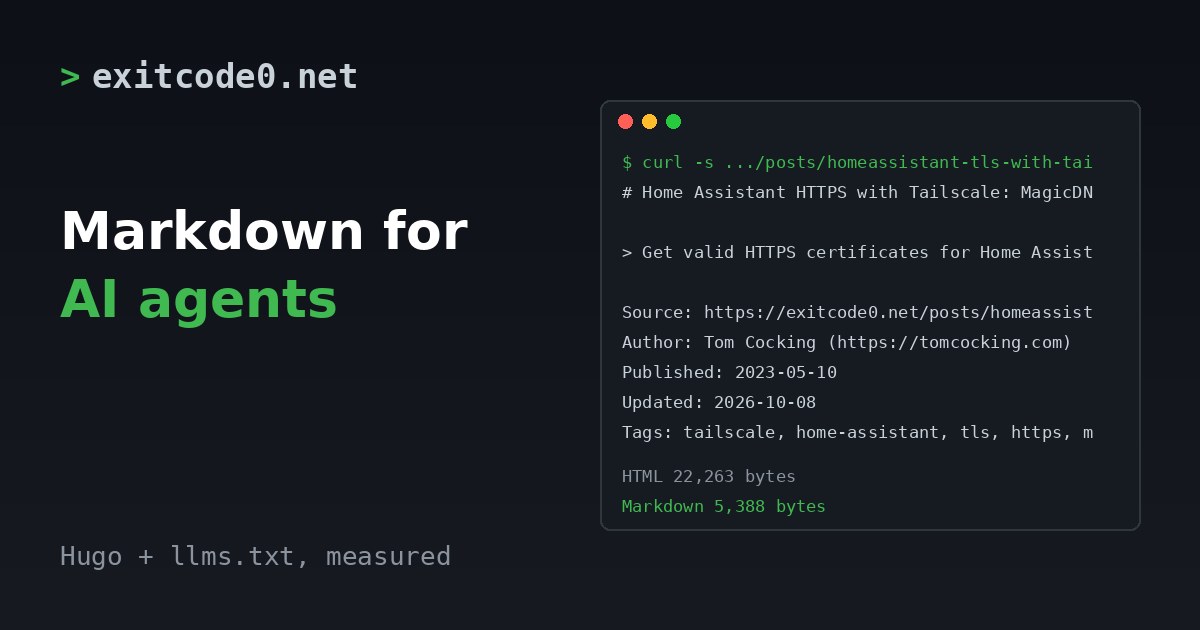
More of my reading now goes through a coding agent. I ask it to fetch a page, and it works from whatever it gets back. For a blog that’s a problem. A typical post is 22 to 50 KB of HTML, wrapped around 5 to 17 KB of content. The agent has to pull the content out of the wrapper first.
So I made every post on this site available as plain Markdown at the same URL with index.md on the end, and added an llms.txt that lists them. Both are Hugo output formats, about twenty lines in total. This post has the config, both templates, the sizes I measured on the live site and the things that bit me.
I haven’t measured any effect on traffic or citations. This is a convenience for agents and readers who ask for it. Don’t expect it to rank anything.
What it does
Every post at /posts/<slug>/ also exists at /posts/<slug>/index.md. Hugo adds a <link rel="alternate" type="text/markdown"> to the HTML head, so a client can find it without knowing the pattern. /llms.txt lists all of them with their descriptions.
Measured on the live site on 11 October 2026:
| Post | HTML | Markdown | Markdown as % of HTML |
|---|---|---|---|
| Wyoming Whisper | 46,293 B | 11,804 B | 25% |
| Ollama in a Proxmox LXC | 49,603 B | 17,217 B | 35% |
| HA TLS with Tailscale | 22,263 B | 5,388 B | 24% |
| Dumb terminal dev VM | 34,657 B | 12,221 B | 35% |
| Pi extension model | 46,002 B | 13,869 B | 30% |
A decent HTML-to-text extractor ends up about the same size as the Markdown. That’s fine. The difference is that you don’t need one, and code fences and headings survive intact.
Step 1: define the output formats
In config.yml:
outputFormats:
  Markdown:
    mediaType: text/markdown
    baseName: index
    isPlainText: true
    notAlternative: false
  LLMS:
    mediaType: text/plain
    baseName: llms
    isPlainText: true
    notAlternative: true
outputs:
  home:
    - HTML
    - RSS
    - JSON
    - LLMS
  page:
    - HTML
    - Markdown
notAlternative: false on Markdown is what produces the <link rel="alternate"> tag. llms.txt is set to true, so no tag is added for it. isPlainText: true makes Hugo use text/template, so nothing in the output gets HTML-escaped.
If your outputs block already has entries, merge into it rather than replacing it. If you drop RSS by accident your feed disappears.
Step 2: the Markdown template
Save as layouts/_default/single.md:
# {{ .Title }}
> {{ .Description }}
Source: {{ .Permalink }}
Author: Tom Cocking (https://tomcocking.com)
Published: {{ .PublishDate.Format "2006-01-02" }}
Updated: {{ .Lastmod.Format "2006-01-02" }}
{{ with .Params.tags }}Tags: {{ delimit . ", " }}{{ end }}
{{ .RawContent
| replaceRE "(?ms)^<!--.*?-->[ \t]*\n?" ""
| replaceRE `\{\{<\s*youtube\s+"?([A-Za-z0-9_-]+)"?\s*>\}\}` "Video: https://www.youtube.com/watch?v=$1"
| replaceRE `\{\{<\s*figure\s+src="([^"]+)"(?:[^>]*?caption="([^"]*)")?[^>]*>\}\}` ""
| replaceRE `\{\{[<%][^>%]*[>%]\}\}` ""
| replaceRE `\]\(/(posts|images)/` "](https://exitcode0.net/$1/"
| replaceRE "\n{3,}" "\n\n"
| safeHTML }}
---
Markdown version of https://exitcode0.net{{ .RelPermalink }} for agents and readers who prefer plain text. The HTML page has the comments, cover image and related posts.
Swap in your own name and domain. The pipeline does five jobs, and each one exists because .RawContent is the source file, not the rendered page:
- Strips HTML comments that start at the beginning of a line. This one matters more than it looks. I leave notes to myself at the top of draft posts as comments, and without this line they’d be published in the Markdown copy. My first version stripped a comment anywhere, and it mangled this post’s own copy, because the regex in the code sample above matched itself. Anchoring it to the start of a line fixed that.
- Turns
youtubeshortcodes into a plain URL. - Turns
figureshortcodes into Markdown images. - Deletes any other shortcode, so a reader never sees a raw shortcode tag in the output.
- Rewrites site-relative links and image paths to absolute URLs. A Markdown file fetched on its own has no base URL to resolve them against.
Step 3: the llms.txt template
Save as layouts/index.llms.txt:
# ExitCode0

> Homelab, self-hosting, Home Assistant and local AI how-tos by Tom Cocking, each one tested on his own hardware before it is published. UK-based.

Every post has a Markdown version at the same URL with `index.md` appended.

## Posts
{{ range (where .Site.RegularPages "Section" "posts").ByLastmod.Reverse }}{{ if not .Params.robotsNoIndex }}- [{{ .Title }}]({{ .Permalink }}index.md): {{ .Description }}
{{ end }}{{ end }}
Mine also links the About and Privacy pages. It sorts by last modified, newest first, and skips any post flagged robotsNoIndex. The link points at the Markdown version, so an agent that follows an entry gets the clean copy straight away. The live file lists 75 posts.
Step 4: say what agents may do
I also added a Content-Signal line to robots.txt, using Hugo’s own template at layouts/robots.txt:
User-agent: *
Disallow:
Content-Signal: search=yes, ai-input=yes
Sitemap: https://exitcode0.net/sitemap.xml
search=yes and ai-input=yes say the content may be indexed and used as input when an agent answers a question. I left ai-train out on purpose, because that’s a decision and I haven’t made it. An absent signal means no preference stated. Pick yours before you copy this.
Check it
curl -sI https://example.com/posts/your-post/index.md | head -3
curl -s https://example.com/posts/your-post/ | grep -io '<link[^>]*text/markdown[^>]*>'
curl -s https://example.com/llms.txt | grep -c '^- \['
You want a 200 with content-type: text/markdown, one alternate link, and a count that matches your post count. Then grep a Markdown copy for {{ and <!--. Mine came back clean apart from a }} inside a Python code block.
Gotchas
- Only pages get a Markdown copy.
/index.mdon the home page is a 404, becauseoutputs.homedoesn’t include Markdown.llms.txtis the home page’s entry point instead. - GitHub Pages serves it fine. The
.mdfile came back astext/markdown; charset=utf-8with no extra config, and with CORS open. - Your own HTML comments get published without rule 1. Notes to self in a draft would appear in the Markdown copy.
.RawContentis unrendered source. Every shortcode shows up as literal text. The catch-all regex deletes the ones I haven’t handled, so check the output for any that carried real content, such as a callout box.
Wrap-up
It’s a small change and a quiet one. I can’t tell you yet whether it earns anything. What I can say is that the pieces fit: a post ends with a block you paste into an agent, and the agent can now fetch the post itself without wading through theme markup. The Ollama in a Proxmox LXC post is a good one to try it on.
Or just hand this page to your agent
If you’d rather not edit your config by hand, give the page to your agent:
Read https://exitcode0.net/posts/hugo-markdown-output-llms-txt-ai-agents/ and add a Markdown output format and an llms.txt to my Hugo site. Before changing anything, check my Hugo version, whether config already has an outputs or outputFormats block, whether my theme overrides single templates, and whether I use shortcodes the page doesn't handle. Merge into the existing config, don't replace it. Don't add a Content-Signal line to robots.txt without asking me which signals I want.
The page gives the agent both templates, the config and the checks. Only you know your site name, your shortcodes, and whether you’re happy for AI systems to train on your writing.
Enjoy. ✌️