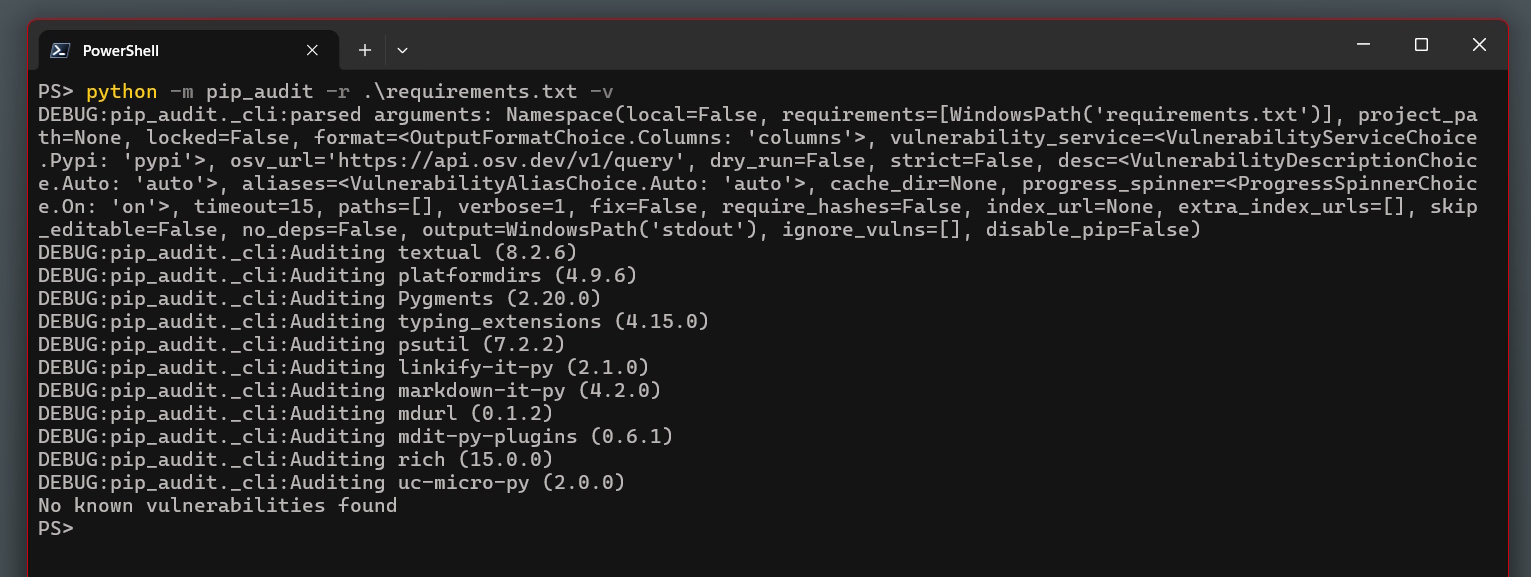
Terminal output showing pip-audit reporting no known vulnerabilities found against a requirements.txt file

How to Secure a Python Project Against Supply Chain Attacks: Dependabot, pip-audit, and Branch Protection

I built a small Python TUI to help manage power consumption on my aging Dell laptop. The battery is at 37% health - 18,992 mWh left from a 51,999 mWh design capacity - and the Windows power settings are buried three menus deep. Nothing complicated: a couple of hundred lines using Textual and psutil, showing real-time discharge rates from WMI and letting me cap the CPU speed without clicking through Settings every time. ...

May 16, 2026 · 11 min · Tom Cocking

Give Claude Code Eyes Inside Your WSL2 Docker Containers

If you run Docker inside WSL2 on Windows 11, you’ve probably hit this wall: you open a Claude Code session in Windows Terminal, something goes wrong with a container, and Claude starts asking “can you paste the logs?”. Every. Single. Time. It breaks the flow completely. The whole point of an agentic coding tool is that it should be able to diagnose problems itself, not act as a fancy chat window that waits for you to do the investigation manually. ...

April 23, 2026 · 8 min · Tom Cocking

How to Force the Windows 11 Upgrade Now Windows 10 Is Out of Support

Updated October 2026: Windows 10 reached end of support on 14 October 2025. Machines still on it get no security updates unless enrolled in Extended Security Updates, so forcing the upgrade is now the sensible default rather than a way to jump a queue. The Installation Assistant steps below still work. My two older posts on forcing the Windows 10 2004 and 20H2 feature updates have been folded into the end of this page, since those updates no longer matter. ...

October 6, 2021 · 3 min · Tom Cocking

How to invoke UAC in a Windows Batch script

Here is my quick and easy way to raise the privilage level of a Windows Batch script; allowing you to run your code at an administrator level. This is not a new question and has been asked many times on StackOverflow forums. The best answer I was able to find was the following from dbenham: https://stackoverflow.com/questions/1894967/how-to-request-administrator-access-inside-a-batch-file/10052222#10052222 That being said there are many ways to skin this cat, so I came up with my own method, all be it derivative. The main difference in the following code is that you will always get a UAC prompt in my variant of the code, even if you are currently running it as an account that is a member of the local administrators group: ...

December 29, 2020 · 2 min · Tom Cocking

[FIXED] Bose Bluetooth headphones with Windows 10

I recently moved to a new Windows 10 laptop and experience a number of problems with my Bose SoundLink II, Bluetooth headphones. Fortunately, after some playing around with drivers I was able to solve my problem and this post explains how… The Problem Poor sound quality – with the default drivers, the sound quality was poor and there was a considerable amount of audible noise being delivered to the headphones via the Bluetooth interface. The audio was very lo-fi and the frequency range was dramatically reduced. This resulted in a very thin, tinny sound. ...

August 30, 2020 · 2 min · Tom Cocking

How to check if RAM is running in ECC mode

Error Correcting Code (ECC) RAM is a variation of coputer memory which helps to ilimintate data curruption or ‘bit rot’, but it is not always imediately apparent if your system memory is running in ECC mode; here is a quick guide on how to check if your system memory is running in ECC mode. This guide covers Windows and Linux systems, but please ensure that if you are running either system in a virtual machine configuration that this command is ran on the host machine. ...

May 30, 2020 · 2 min · Tom Cocking

Adding WMIC command to the Windows path

Note: WMIC is deprecated as of Windows 11 22H2. For equivalent functionality use Get-WmiObject or Get-CimInstance in PowerShell instead. wmic is not recognized as an internal or external command – I was quite shocked to find that a command I use on a very regular basis was not working on a fresh installation of Windows 10 1909 on my trust old ThinkPad. I don’t want to spend hours trying to find out why this was not correct in my system path, but instead, I fixed it and spent the time sharing how to fix the problem. ...

May 30, 2020 · 2 min · Tom Cocking

Copy Paste in vSphere before installing VMware tools

I’ve spent enough time building VMs in vSphere to know that the first few minutes between starting the VM and getting VMware Tools installed is agonising. Similar to my ‘Copy Paste With Powershell Sendkeys‘ script, I have another tool written in AutoIT which sends defined keyboard strokes to the system. So this is not exactly ‘copy paste in vSphere’, but it achieves the same goal. If you actually want to enable clipboard sync between host and VM, you can follow this guide here: Enable Copy and Paste Operations Between the Guest Operating System and Remote Console. This is going to need VMware Tools installed on the host though. ...

May 18, 2020 · 2 min · Tom Cocking

Automatically pause Spotify with the 3CX client

Note: This article covers an older 3CX CTI integration method from the Windows 10 era. The 3CX client has changed significantly since this was written — the core AutoIT approach may still work but exact steps may differ. This is a really old script that I just found in my archive, but it still works all the same. The goal was to write a small script that would automatically pause Spotify with the 3CX client when there was an inbound call. ...

May 16, 2020 · 3 min · Tom Cocking

Prevent Screensavers and Lock-screens with Powershell

There might be a number of reasons to want to prevent your windows screensavers and lock-screens from engaging and in some cases (no doubt yours if you have hit this article from a search engine) local policy on the machine preventing you from changing these settings. Powershell lets us work around this problem and prevent the machine from locking or activating a screensaver. Prevent Screensavers and Lock-screens The bulk of the code below has been lifted from this great write up: https://dmitrysotnikov.wordpress.com/2009/06/29/prevent-desktop-lock-or-screensaver-with-powershell/ I just took things one step further by adding an infinite loop. My version of this code will run indefinitely. ...

March 26, 2020 · 2 min · Tom Cocking